Dashboard
The Dashboard provides recruiters with a centralized view of all key recruitment metrics and quick access to job management tools. It summarizes job postings, applications, and engagement statistics to support efficient hiring operations.
Overview
The top section of the dashboard displays summarized statistics for active and historical recruitment data. Recruiters can quickly monitor performance and identify where action is needed.
Key Metrics
| Metric | Description |
|---|---|
| Total Jobs | Displays the total number of job postings currently active or archived. |
| Total Applications | Shows the overall number of candidates who have submitted applications. |
| Post a New Job | Quick access button to create a new job posting. |
| Listed Jobs | Displays all current job postings with real-time status and activity data. |
Job Listing Summary
The job list section provides a detailed view of every job currently in the system. Recruiters can sort, filter, or search based on job title, location, or activity status.
Job Table Fields
| Field | Description |
|---|---|
| Job Name | The official job title as created in the Job Overview section. |
| Urgent | Indicates whether the job has been marked as urgent for high-priority hiring. |
| Active | Displays whether the job is currently live or inactive (closed/expired). |
| Location | The job’s assigned base or airport location. |
| Salary | The defined salary range or average compensation offered. |
| Posted On | The date the job posting was first published. |
| Applicants | Number of candidates who have submitted applications for the job. |
| Viewed | Count of total views or impressions by potential applicants. |
| Conversion (%) | Percentage showing how many viewers proceeded to apply — (Applicants ÷ Views × 100). |
| View Applicants | Quick action button or link to view and manage all candidates for this specific job. |
Example Dashboard Layout (Screenshot Placeholder)
Below is an example of the Recruiter Dashboard layout showing active job postings and quick access metrics.
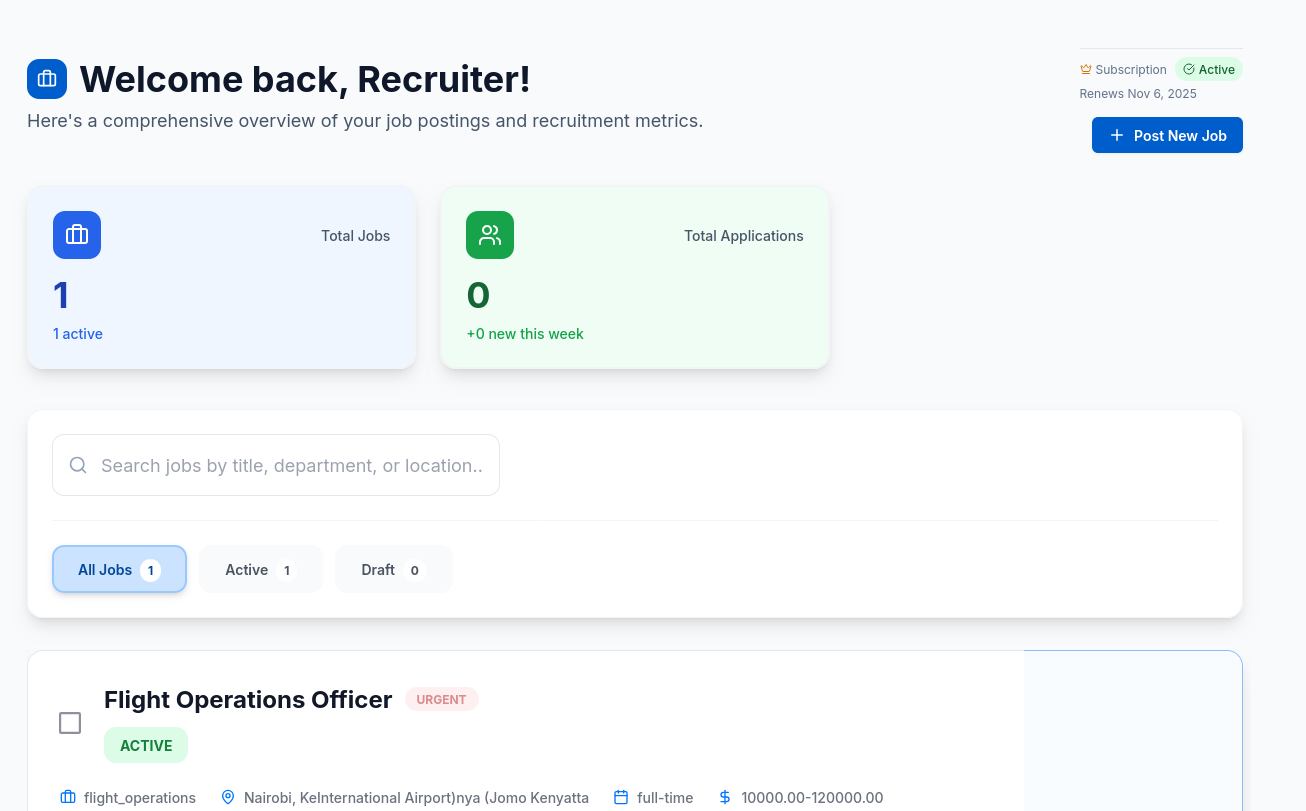
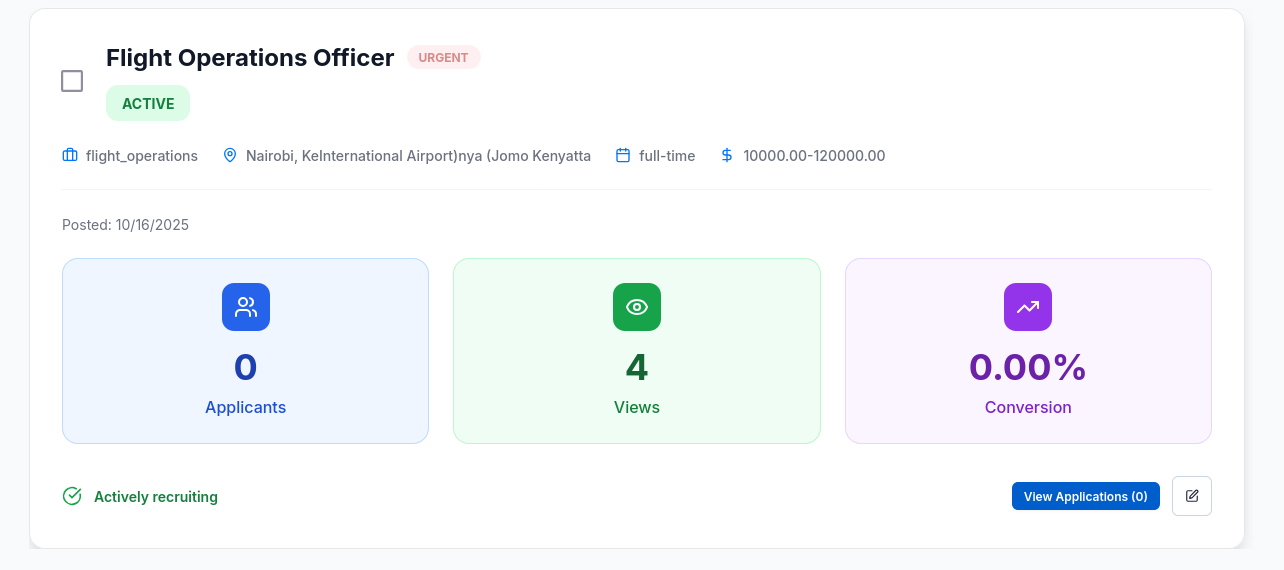
Screenshot: Example interface displaying total jobs, application counts, and job listing overview.
Notes
- The dashboard automatically refreshes metrics to reflect new applications or job status updates.
- Recruiters can filter by department or date to focus on specific campaigns.
- The conversion rate helps measure the job posting’s performance and visibility effectiveness.
- Use the View Applicants button to directly open candidate profiles and screening details.