Job Posting & Management
The Aviation Recruitment System enables recruiters to post, manage, and track aviation-related job openings across multiple departments and channels. This module provides an intuitive interface for creating detailed job listings that attract qualified aviation professionals.
1. Job Overview Page
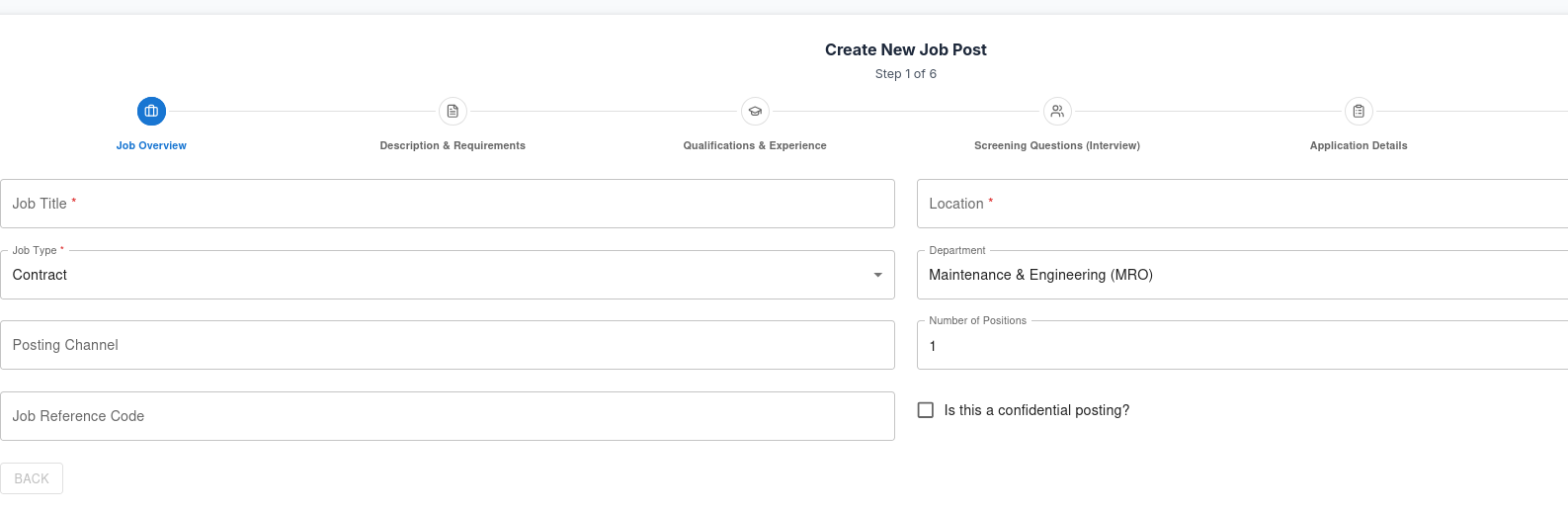
Recruiters can easily create a new job posting by filling out key job details through a clean, structured form.
Job Details Form
| Field | Description |
|---|---|
| Job Title | The official title of the job (e.g., Flight Operations Manager, Aircraft Maintenance Engineer). |
| Location | The airport, city, or remote position information. |
| Job Type | Full-time, Part-time, Contract, Internship, or Temporary. |
| Department | Department or division under which the job falls (e.g., Engineering, Flight Crew, Ground Handling). |
| Posting Channel | Select where the job should be visible — Company Site, Partner Portals, or External Boards. |
| Number of Positions | Total number of vacancies available for the role. |
| Job Reference Code | Unique identifier for internal tracking. |
| Confidential Posting | Option to mark job details as confidential (used for sensitive roles). |
Example Interface (Screenshot Placeholder)
Below is an example layout of the Job Overview Page — showing the form fields and upload area for job images or documents.
2. Job Description & Requirements
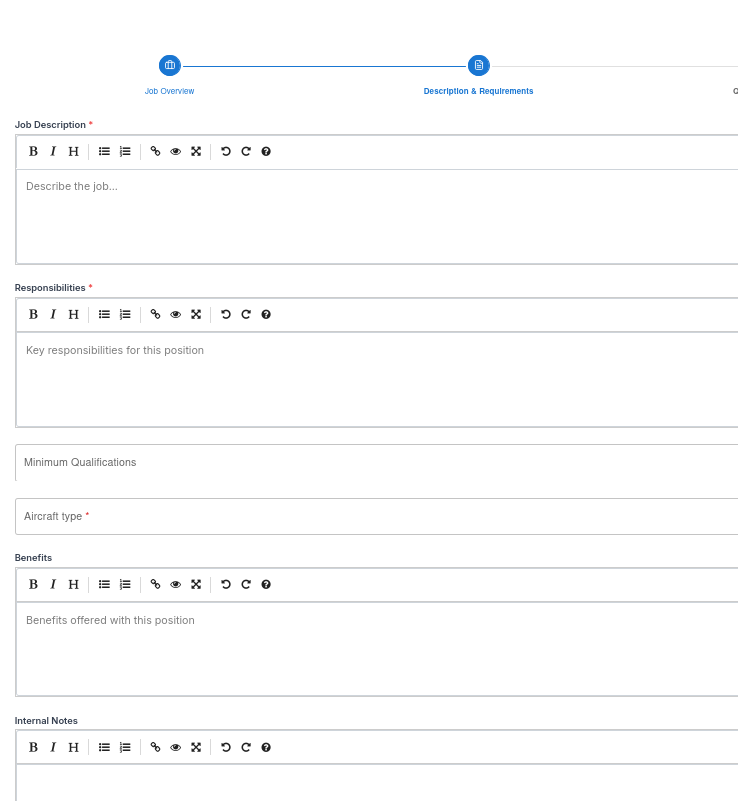
After creating a job overview, recruiters can add detailed role information to help attract the right aviation professionals. This section outlines the key job specifications, qualifications, and internal notes for hiring teams.
Job Description Section
| Field | Description |
|---|---|
| Job Description | A detailed overview of the role — what the position entails, reporting structure, and key expectations. |
| Responsibilities | A list of daily duties and operational tasks (e.g., maintenance checks, flight planning, crew coordination). |
| Aircraft Type | Specify the aircraft(s) related to the role — e.g., Boeing 737, Airbus A320, Cessna Citation X. |
| Minimum Qualification | Outline educational or certification requirements (e.g., ATPL, AME License, Degree in Aeronautical Engineering). |
| Benefits | Highlight perks such as travel allowances, insurance, housing, or paid leave. |
| Internal Notes | Private notes visible only to the HR or recruitment team for internal coordination. |
Example Interface (Screenshot Placeholder)
The recruiter can fill in structured text areas for responsibilities and qualifications while maintaining a clean, minimal interface.
3. Qualification & Experience
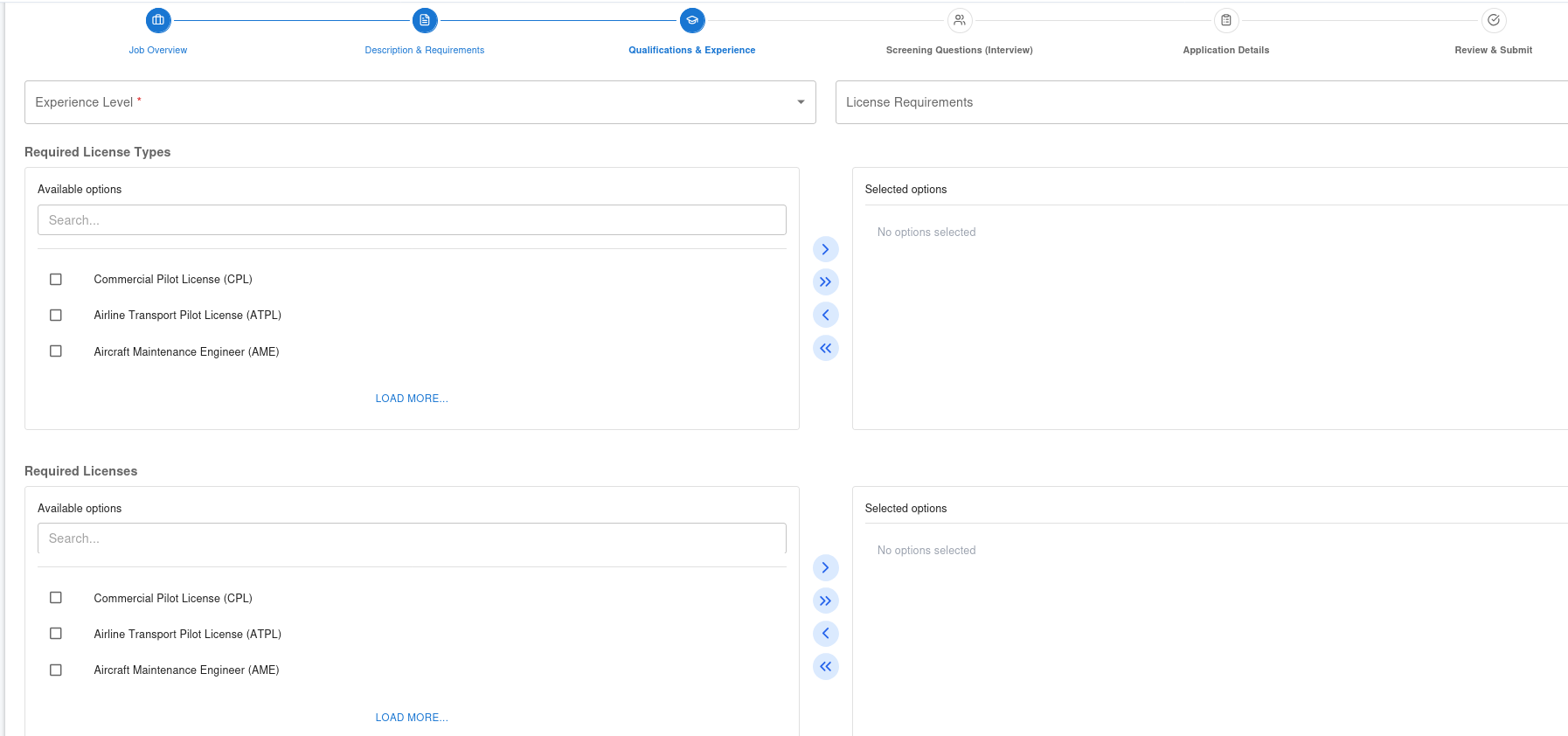
The Qualification & Experience page captures all technical and operational requirements needed for a candidate to qualify for the aviation role. It ensures recruiters can specify the exact level of expertise, flight hours, licenses, and medical standards required for the position.
Experience & Licensing Details
| Field | Description |
|---|---|
| Experience Level | General seniority expected — Entry-Level, Intermediate, Senior, or Captain. |
| License Requirements | Indicates whether a license is mandatory for the position (Yes/No). |
| Required License Type | Specify the license type — e.g., ATPL, CPL, AME License, PPL, or Ground Engineer Certificate. |
| Aircraft Type | The specific aircraft models relevant to the role — e.g., Airbus A320, Boeing 737, Dash 8 Q400. |
| Total Flying Hours | Minimum total logged flight hours across all aircraft types. |
| Minimum Flight Hours | The baseline number of hours required to qualify for application. |
| Minimum Pilot-in-Command Hours | Minimum PIC (Captain) hours needed for command-level positions. |
| Specific Aircraft Hours Required | Hours required on the specific type of aircraft for operational readiness. |
| Recency of Experience (Months) | How recent the candidate’s last logged flight or aircraft experience must be (in months). |
| Medical Certification Required | Indicates whether medical clearance is needed (Yes/No). |
| Medical Class | Defines the required class — Class 1, Class 2, or AME Medical Certificate. |
| J-Visa Requirements | States if a visa or work permit is required for international positions. |
| Probation Period | Duration of initial evaluation after hiring (e.g., 3 or 6 months). |
| Endorsement | Specific aircraft endorsements or validations needed before assignment. |
Example Interface (Screenshot Placeholder)
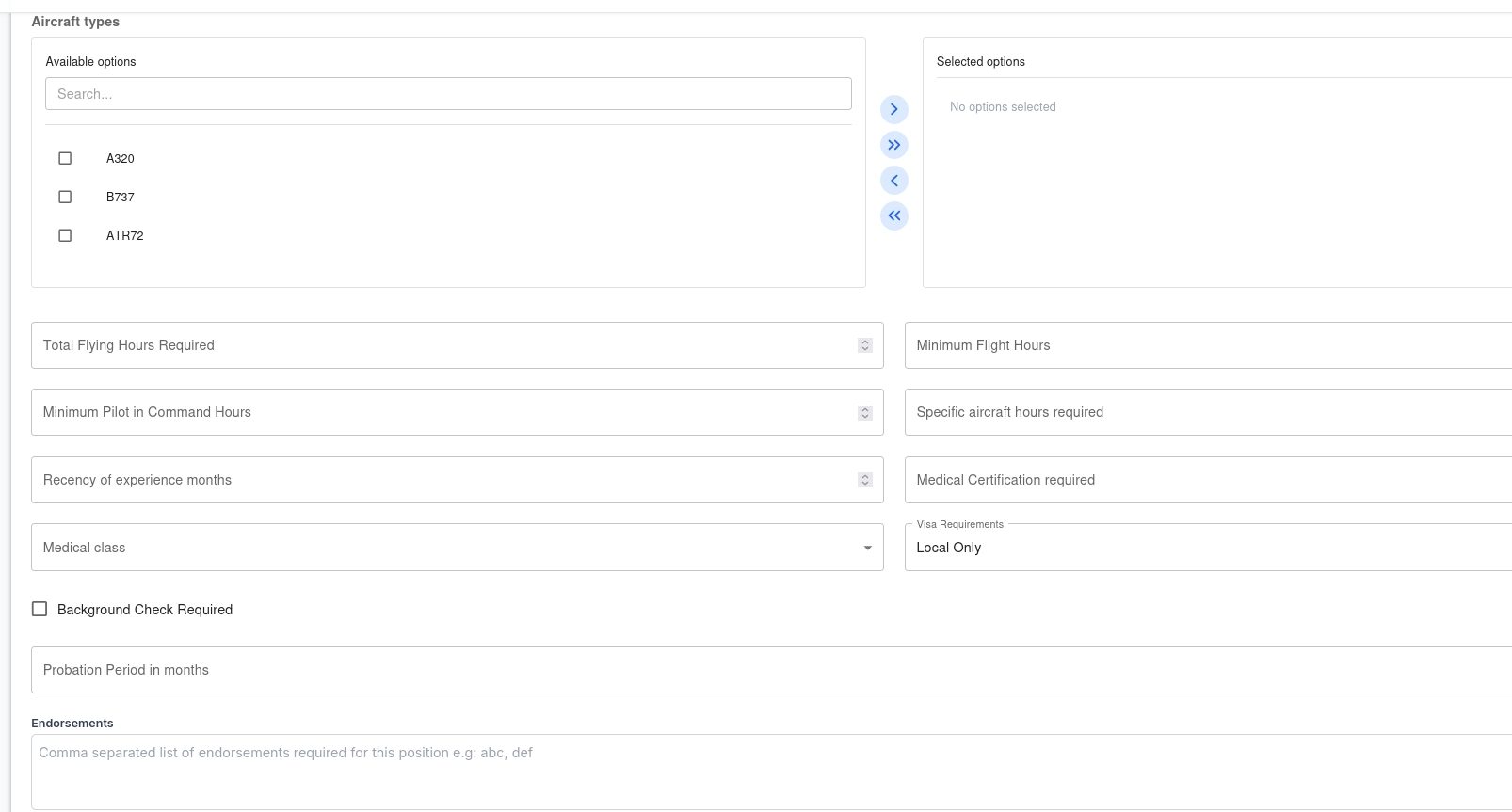
This page provides dropdowns, numeric inputs, and toggles for quick data entry while maintaining clarity.
4. Screening Questions
The Screening Questions page allows recruiters to create pre-assessment questions that filter candidates based on essential aviation qualifications, certifications, and experience. This ensures only qualified applicants proceed to the interview or evaluation stage.
Purpose
Screening questions act as the first line of evaluation for aviation roles. They help verify candidate eligibility for highly regulated positions such as pilots, engineers, flight attendants, and maintenance staff.
Question Categories
| Type | Description | Example |
|---|---|---|
| Yes / No | Simple binary questions to confirm qualifications. | “Do you hold a valid ATPL License?” |
| Multiple Choice | For selecting one or more predefined options. | “Which aircraft type are you rated for?” |
| Short Answer | Collects brief responses from candidates. | “State your total flight hours on Boeing 737.” |
| Numeric Input | For quantitative requirements. | “Enter your total PIC hours.” |
| File Upload | Allows candidates to attach supporting certificates. | “Upload your valid medical certificate.” |
Example Interface (Screenshot Placeholder)
Recruiters can add, edit, or reorder screening questions using a simple drag-and-drop interface with preview mode.

Best Practices
- Keep questions short and direct to improve completion rates.
- Use Yes/No filters early to screen out unqualified applicants.
- Include at least one safety or compliance question for aviation roles.
- Save reusable templates for pilot, engineer, or operations positions.
Tip: Combine automatic scoring with manual review for high-risk roles to maintain both efficiency and compliance.
5. Application Details
The Application Details page allows recruiters to finalize how candidates will apply, how they’ll be contacted, and how the job posting will appear to applicants. This section ensures every job listing contains accurate salary, visibility, and communication details before publication.
Application Information Fields
| Field | Description |
|---|---|
| Contact Email | The official recruitment email for receiving candidate applications or inquiries. |
| Application URL | Direct link to the external application form or company careers portal (if applicable). |
| Interview Mode | Defines how interviews will be conducted — In-person, Online (Video), or Hybrid. |
| Candidate Communication | Notes how applicants will receive updates — Email notifications, Portal messages, or SMS alerts. |
| Minimum Salary | The lower range of the offered salary or compensation package. |
| Maximum Salary | The upper range of the offered salary. Useful for transparency and candidate filtering. |
| Expected Start Date | Estimated date for the selected candidate to begin work. |
| Expiry Date | The date after which the job posting will automatically close or expire. |
| Visibility | Determines who can view the job — Public, Internal Only, or Confidential Posting. |
| Urgent Flag | Marks the job as Urgent to prioritize visibility in listings and candidate search results. |
Example Interface (Screenshot Placeholder)
Recruiters can easily configure communication and salary details, set visibility, and toggle urgency from the Application Details section.

Best Practices
- Use a dedicated recruitment email to separate job applications from general inquiries.
- Clearly define salary ranges to improve candidate transparency.
- Mark jobs as Urgent only when timelines are critical to avoid overuse.
- Set realistic expiry dates to give candidates enough time to apply.
6. Review & Publish Job Posting
The Review & Publish page is the final step in creating a job listing within the Aviation Recruitment System. It allows recruiters to verify all details, preview how the posting will appear to applicants, and then publish or schedule the listing.
Review Summary
Recruiters can view a full summary of all entered information before making the job live.
| Section | Description |
|---|---|
| Job Overview | Displays the job title, location, job type, department, reference code, and posting channel. |
| Description & Requirements | Shows job summary, responsibilities, minimum qualifications, and benefits. |
| Qualification & Experience | Lists experience level, required licenses, total hours, and medical details. |
| Screening Questions | Displays all pre-screening questions linked to the job posting. |
| Application Details | Confirms contact information, interview mode, salary range, and visibility settings. |
Example Interface (Screenshot Placeholder)
The review interface provides a side-by-side summary of all job details, with edit buttons for each section before final submission.

Best Practices
- Double-check salary, job type, and expiry dates before publishing.
- Review confidential job settings to avoid accidental public exposure.
- Use Preview Mode to ensure formatting and job layout display correctly.
- Keep a record of published jobs for compliance and audit purposes.
Tip: Once published, recruiters can still make minor edits — major changes (like job title or reference code) may require republishing to maintain data integrity.